



Projection mapping is not a gimmick. It's a sophisticated visual technology that transforms physical spaces into dynamic, immersive brand experiences.
When done well, projection mapping creates moments that people remember for months. A product reveal where the product itself becomes the canvas for a visual narrative. A stage design where architecture becomes storytelling. A branded environment where the space itself reinforces your message.
When done poorly—with blurry alignment, inadequate brightness, or content that doesn't justify the complexity—projection mapping looks like technology for technology's sake.
The difference is planning, technical precision, and understanding exactly what projection mapping can and should do at your event.
Over 20 years of corporate events in Toronto, bb Blanc has executed projection mapping projects ranging from intimate product reveals for 100 people to large-scale building projections visible to thousands. We've also seen plenty of projection mapping projects that looked expensive but felt hollow because they weren't integrated into a larger strategy.
This guide walks you through the reality of projection mapping for corporate events—how it works, when it makes sense, how to plan it, and how to choose between projection mapping and other visual technologies like LED walls.
When comparing projection mapping to an LED wall Toronto installation or a custom LED wall for events, the decision comes down to surface geometry and content type. Projection mapping excels on irregular surfaces and architectural elements, while LED walls deliver superior brightness for flat-surface applications in high-ambient-light environments.
What Is Projection Mapping and How Does It Work for Events?
Projection mapping is the art of projecting video content onto non-flat, non-screen surfaces and making the content conform to the shape of that surface. A video that "bends" around a 3D object. A narrative that wraps around a building facade. A logo that appears to emerge from a physical product.
The Technical Fundamentals
Here's how it works:
-
Select a surface: This can be a physical product (a box, a bottle, a sculpture), stage architecture (a building-style backdrop, columns, stairs), or an environmental surface (a building exterior, a floor, a wall with architectural detail).
-
Map the surface: A specialized software tool maps the contours and dimensions of that surface in 3D space. Think of it as creating a 3D model of the object or environment.
-
Align projectors: One or more projectors are positioned to cover the entire surface. If the surface is complex or large, multiple projectors might be required with their coverage areas carefully synchronized.
-
Project calibrated content: Video content is created in the same 3D space as the mapped surface. The projectors display this content, and software alignment ensures it conforms perfectly to the physical surface—despite the surface being 3D, the image appears flat and undistorted.
-
Run sequences: As the event progresses, different content sequences project onto the surface, creating the illusion that the physical object or building is transforming or animating.
How It Differs from Standard Projection
Standard projection puts content on a flat screen or wall. The image is rectangular and two-dimensional.
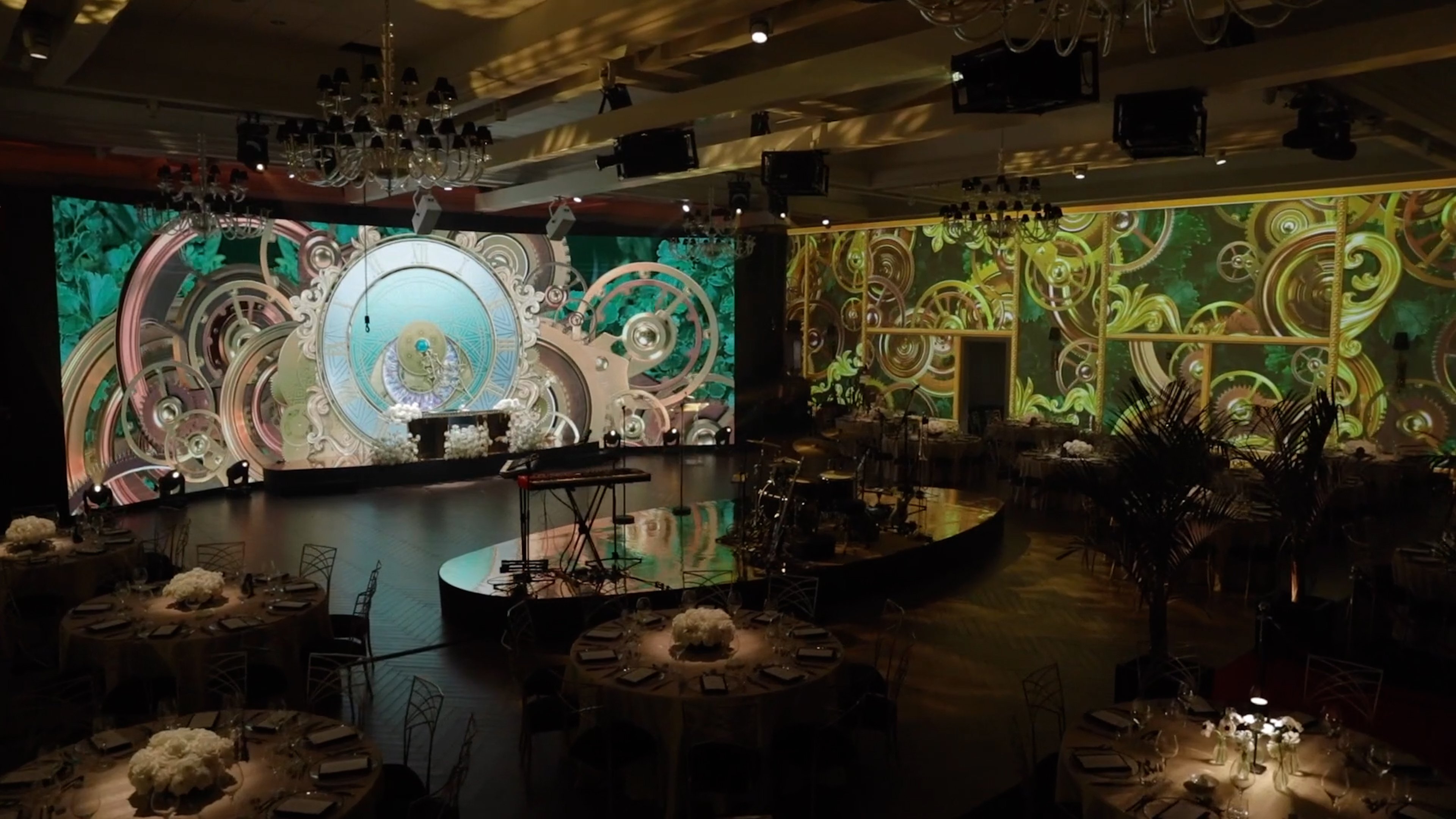
Projection mapping puts content on complex, three-dimensional surfaces. The content wraps around the object, creating depth and dimension. A building facade isn't a flat screen—it's a building with architectural detail, windows, ledges. Projection mapping makes the content conform to those details, creating a smooth visual experience.
Example: A standard projector shows a video on a white backdrop. Everyone recognizes it as a projection on a screen. A projection-mapped version of that same video appears to emerge from a physical product or environment, creating the illusion that the object itself is transforming.
Types of Projection Mapping for Corporate Events
Object Projection Mapping
A single physical object (a product, sculpture, architectural element) becomes the canvas. The object might be small (a cosmetics bottle) or large (a stage set piece). Video content is mapped to fit that object perfectly, creating the illusion that the object is animated or transforming.
Best for: Product reveals, branded sculptures, stage design elements, gala centerpieces
Surface Projection Mapping
A large surface (building facade, stage backdrop, floor, wall) becomes the canvas. Video content covers the entire surface, creating an immersive visual environment.
Best for: Outdoor events, large-scale stage designs, environmental branding, architectural transformations
Interactive Projection Mapping
The projection responds to audience interaction—motion sensors, touch points, or audience movement trigger content changes. The audience feels like they're controlling the projection.
Best for: Branded activation zones, interactive product experiences, engagement-focused events, trade shows
Technical Requirements
Projection mapping requires:
- Specialized projection mapping software: Software like MadMapper or Resolume Arena that allows surface mapping and real-time content management
- Calibration equipment: Tools to precisely measure and align projector coverage
- High-quality video projectors: Brightness (lumens), color accuracy, and focus quality matter more for projection mapping than standard projection
- Video content creation: Custom-built, 3D-modeled content that accounts for surface shape and dimensions
- Technical precision: Every element—projector alignment, surface measurement, content calibration—must be exact. Small errors compound into visible misalignment.
This level of technical complexity is why projection mapping is not a standard feature at most event venues. It requires specialized expertise and planning.
Corporate Use Cases: When Projection Mapping Creates Impact
Not every event needs projection mapping. But certain scenarios make it a powerful choice.
Product Reveals
Projection mapping makes the product the hero. As the reveal moment hits:
- The product sits on stage, professionally lit
- A projector maps content onto the product, showing it in different contexts, environments, or transformations
- The product appears to come alive—showing different colors, patterns, or use cases through animation
Example: A fashion brand reveals a new shoe design. As the shoe is unveiled, projection mapping shows the shoe in different environments (urban street, runway, outdoor adventure) and different colors, creating a 360-degree visual tour of the product without the product moving.
Why it works: The physical product and the visual content work together. The audience sees the actual product they'll buy, augmented by storytelling projection.
Consideration: Projection mapping for product reveals works best for products with interesting surface shapes (shoes, bottles, bags, architectural models) rather than flat products (books, documents, screens).
Stage Design and Architectural Transformation
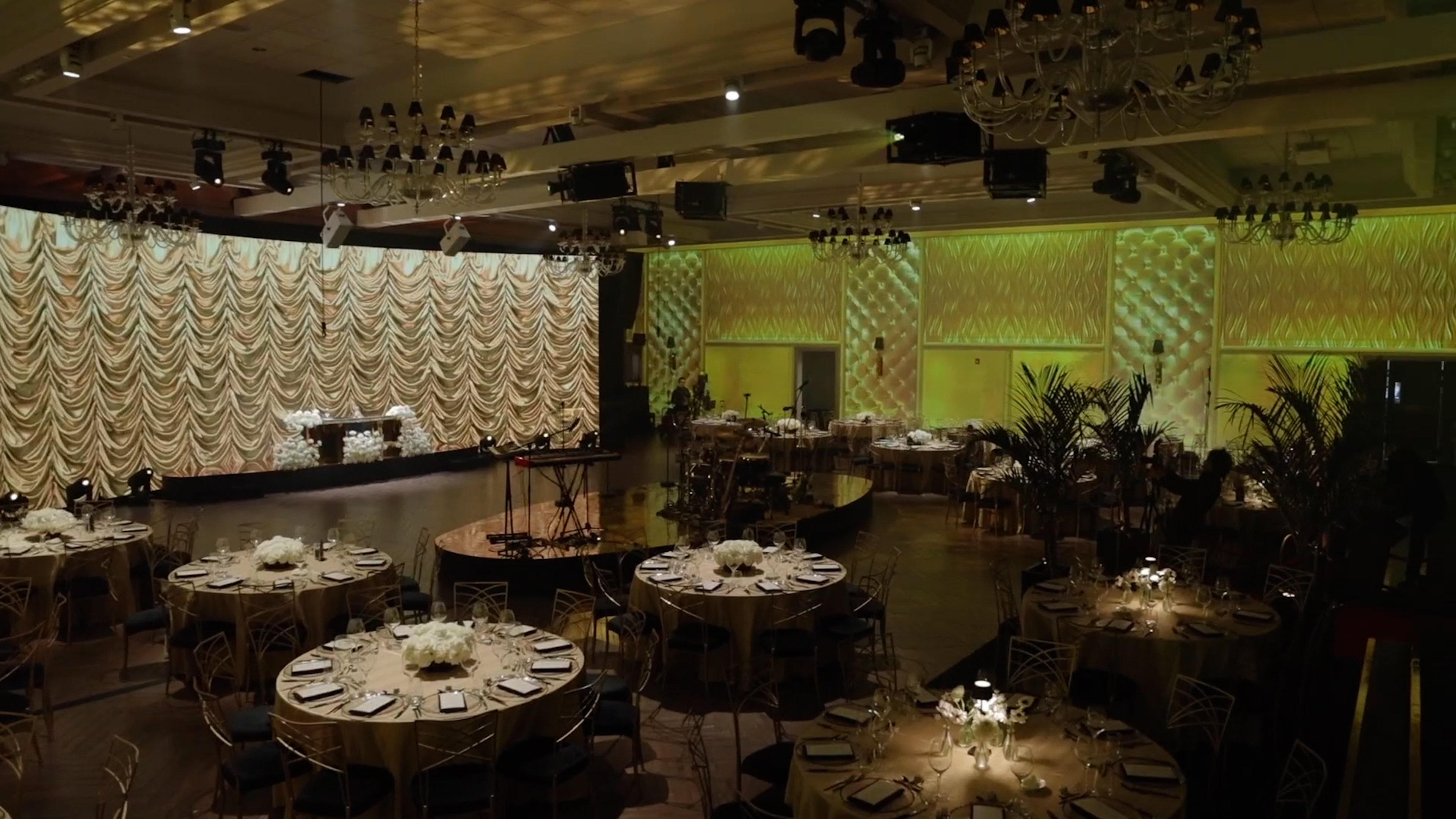
Instead of building physical stage set pieces, you project content that transforms the architecture of the stage itself.
Example: A financial services company's annual meeting has a stage with columns. Projection mapping makes those columns appear to be growing, shifting color, or transforming based on the content being presented. The same physical stage looks completely different with different projected content.
Why it works: It's cost-efficient (no physical set changes) and visually dynamic (constant evolution rather than static design).
Consideration: Works best if the stage has interesting architectural features (columns, depth, varied surfaces) that projection mapping can enhance.
Building Exterior Projections
For outdoor events, a building facade becomes the canvas. Projection mapping makes the building facade appear to transform—showing brand colors, animated sequences, or visual narratives.
Example: A tech company hosts a launch event outside a downtown Toronto building. As the product is revealed indoors, the building exterior shows animated sequences and brand messaging visible to passersby and creating visual impact from the street.
Why it works: Creates a memorable visual moment that extends the event beyond the indoor space. Captures attention from the street, amplifying brand visibility.
Consideration: Requires permission from building owners, adequate projector brightness to overcome ambient light (outdoor projections need 15,000+ lumens), and weather contingency (rain, wind, cloud cover affect visibility).
Branded Environments and Activation Spaces
Instead of traditional booth or brand space design, projection mapping creates an immersive environment where walls, floors, or architectural elements become dynamic brand experiences.
Example: A pharmaceutical company's trade show booth uses projection mapping on walls to show customer testimonials, research data, and product information. As visitors move through the space, the projections respond to their movement or selections, creating an interactive experience.
Why it works: Creates a memorable, Instagram-worthy space that stands out from standard booth design. Makes brand information engaging rather than static.
Consideration: Requires careful planning of flow and interactivity. An overly complex interactive experience can confuse visitors.
Gala Centerpieces and Ambient Storytelling
Projection mapping on table centerpieces or ambient surfaces adds visual interest and reinforces theme or messaging.
Example: A gala honors award winners. Throughout the evening, projection mapping on stage elements tells the stories of the winners—showing their achievements, their faces, their milestones. Attendees see the same stories as they dine and celebrate.
Why it works: Keeps the room visually dynamic while reinforcing the emotional core of the event (celebration, recognition, storytelling).
Consideration: Works best as ambient reinforcement rather than the primary focus. Galas are about people, not screens. Projection mapping should enhance that, not dominate it.
Planning a Projection Mapping Activation
Successful projection mapping starts with realistic planning. Early planning prevents problems that can't be solved on event day.
Phase 1: Concept and Feasibility (12-16 Weeks Before Event)
1. Define the goal
What is projection mapping supposed to accomplish?
- Reveal a product?
- Transform a stage?
- Create an immersive brand environment?
- Support a narrative or storytelling moment?
Be specific. "Make our stage look cool" is not a goal. "Show our product in five different real-world environments through projection" is a goal.
2. Identify the surface
What will be projected onto? The surface determines whether projection mapping is feasible.
- Is it 3D and interesting (product, columns, architectural features)?
- Is it accessible for projector placement?
- Is the surface color suitable for projection? (Dark surfaces show color better than bright white)
If the surface is flat, boring, or inaccessible, projection mapping might not be the right choice.
3. Assess the venue environment
- Ambient light: Is the space dark enough to support projection? Projection mapping works best in controlled lighting. Bright, sunlit rooms overwhelm projected content.
- Projector placement: Can projectors be positioned to cover the surface without obstruction? Are there rigging points?
- Content visibility: Can the projected content be seen from audience seating at good distance and angle?
Outdoor projection mapping requires nighttime visibility and weather contingency.
4. Establish initial feasibility
Can projection mapping be done in this venue, on this surface, with the technical requirements this event has? If the answer is "maybe" or "with difficulty," consider whether an alternative visual technology (LED wall, standard projection, lighting) might be simpler and more effective.
Phase 2: Technical Design and Surface Survey (8-12 Weeks Before)
1. Physical surface survey
Visit the venue and conduct a detailed survey of the surface that will be mapped:
- Measure exact dimensions and map the 3D contours
- Photograph the surface from multiple angles
- Identify obstacles (lighting fixtures, structural elements, audience sightlines)
- Determine ideal projector placement angles
This survey creates the baseline 3D model that projection mapping software uses.
2. Projector placement and brightness specification
Based on the surface size and ambient light:
- How many projectors are needed?
- What brightness (lumens) is required to overcome ambient light?
- Where will projectors be positioned?
- How will multiple projectors be blended and aligned?
For indoor corporate events, 8,000-15,000 lumens per projector is typical. For outdoor projections, 20,000+ lumens. Multiple projectors can be blended together if needed.
3. Content resolution and file format
- What resolution does the projected content need to be? (This depends on projector resolution and viewing distance)
- What file format? (Video, image sequences, real-time 3D)
- What software will manage content playback? (MadMapper, Resolume Arena, custom software)
Content needs to be created at the correct resolution for the projection setup. Content that's too low resolution will look blurry when projected large.
Phase 3: Content Creation (6-10 Weeks Before)
Projection mapping content is not standard video. It's 3D-modeled content that accounts for the surface shape.
- 3D modeling: The surface is recreated as a 3D digital model
- Content design: Visual content is designed and animated within that 3D space
- Asset creation: Final video files are rendered at the correct resolution and format
This is significantly more complex than creating standard video content. Budget time and specialist expertise accordingly.
Content best practices:
- Purposeful animation: Content should move with intention. Aimless motion looks like technology showing off.
- Legibility: Text and details should be readable from audience distance. Test content projection before event day.
- Color and contrast: Colors should be bright and saturated. Projection dims colors, so source content needs to be intense.
- Simplicity: Complex, chaotic content is hard to follow. Clean, clear visual narratives work better.
Phase 4: Pre-Event Technical Setup (2-4 Weeks Before)
1. Projector alignment and calibration
Projectors are positioned and calibrated to align perfectly with the mapped surface:
- Keystoning (correcting angle distortion) is adjusted
- Color correction ensures consistent color across all projectors
- Brightness is balanced across all projectors
Alignment takes hours and requires precision. This is done during a technical setup day, not the morning of the event.
2. Content testing and refinement
Projection mapping content is loaded and tested on the actual surface in the actual venue:
- Is the projected image aligned perfectly with the physical surface?
- Is the brightness adequate?
- Are colors accurate?
- Are transitions smooth?
- Does the content look as intended?
If adjustments are needed, they're made now, not during the event.
3. Contingency planning
What happens if a projector fails? What if content doesn't load? What if alignment drifts during the event?
- Backup projector positioned and ready
- Backup content files available
- Operator trained in real-time correction
- Alternative visual plan if projection mapping completely fails
Interactive Projection Mapping and Audience Engagement
Interactive projection mapping takes the technology a step further—the projection responds to audience behavior.
Types of Interactivity
Motion-triggered: Sensors detect audience movement, and the projection responds. Move toward the surface, and the projected content reacts. Step back, and it changes.
Touch-triggered: Audience members touch the projected surface, and the projection responds to touch. This works best on horizontal surfaces (floors) or surfaces that can withstand contact.
Selection-based: Audience members make choices (via buttons, screens, or voice), and the projection displays content based on selections. A branded activation space where visitors choose which product information to see, and the projection displays that content.
Real-time data-triggered: Live data (social media mentions, live voting, real-time metrics) drives the projection. A sales conference where projection mapping shows live sales data, and the visualization changes in real-time.
Corporate Use Cases
Trade Shows and Activation Spaces
Interactive projection mapping in a booth creates engagement. Visitors interact with the projection, making choices and seeing content. The booth becomes an experience, not a static display.
Product Demonstrations
Interactive projection lets audiences see different product configurations or use cases. Select a feature, and the projection shows that feature in action.
Audience Participation Events
An internal event where employees interact with projected content—voting, answering questions, making choices. The projection responds in real-time, creating engagement.
Technical Complexity
Interactive projection mapping is significantly more complex than static projection mapping:
- Sensors and capture equipment: Motion sensors, touch sensors, or cameras that detect interaction
- Real-time software: Software that processes interaction and triggers content changes instantly
- Technical operator: Someone managing the interactive experience in real-time
For this reason, interactive projection mapping is best implemented when interaction is central to the event's purpose—not as an add-on feature.
Production Timeline: From Concept to Event Day
A realistic projection mapping project timeline looks like this:
Weeks 1-4: Concept and Planning
- Define goals and surface
- Conduct initial feasibility assessment
- Meet with production team to discuss approach
- Make decision: proceed with projection mapping, or choose alternative?
Weeks 5-8: Technical Design
- Conduct physical surface survey
- Create 3D model of surface
- Design and specify projector setup
- Begin content concept development
Weeks 9-16: Content Creation
- Finalize content concept and messaging
- Create 3D animations and video content
- Render content at full resolution
- Create backup content versions
Weeks 17-18: Technical Setup and Calibration
- Install projectors and equipment
- Align and calibrate projectors
- Load and test content
- Conduct full technical rehearsal with content
Week 19: Event
- Final equipment check
- Tech run with full team
- Event execution
Critical point: Do not compress this timeline. Projection mapping rushed through planning and content creation looks rushed. The technical precision that makes projection mapping work requires time.
Projection Mapping vs. LED Walls — Choosing the Right Visual Tool
Projection mapping and LED walls are often positioned as competing technologies. In reality, they serve different purposes, and the right choice depends on your needs.
Projection Mapping Strengths
- Conforms to complex shapes: Can map onto 3D surfaces, products, or architectural features
- Interactive potential: Can respond to audience interaction
- Cost-effective for large surfaces: Covering a large building facade with projection is cheaper than covering it with LED panels
- Immersive storytelling: The illusion of an object coming alive or transforming is uniquely powerful
Projection Mapping Weaknesses
- Requires darkness: Works best in controlled, darker environments
- Setup complexity: Requires specialized expertise, planning, and alignment
- Weather-dependent (outdoors): Rain, cloud cover, or bright ambient light reduce visibility
- Content timing: Everything is pre-programmed. Real-time flexibility is limited
LED Wall Strengths
- Brightness: Works in bright, high-ambient-light environments
- Flexibility: Content can be changed in real-time
- Scalability: Works at any size, from small stage backdrop to massive outdoor display
- Simplicity: Standard video content. No 3D modeling or complex alignment required
LED Wall Weaknesses
- Pixel visibility: From close distances, individual pixels are visible
- Cost: Large LED surfaces are expensive
- Uniform rectangularity: LED walls are rectangular. They don't conform to complex shapes
- Weight and rigging: Large LED walls require significant structural support
Decision Matrix
Choose projection mapping if:
- Your surface is 3D, interesting, and architectural (columns, stage features, product shapes)
- You want the illusion of an object transforming or coming alive
- Interactivity is important
- Your environment can be darkened
- You have adequate lead time for planning and content creation
Choose an LED wall if:
- You need bright, high-visibility content in a lit environment
- You want real-time content flexibility
- Your surface is flat or a standard rectangular area
- You're operating on a tight timeline (LED walls are faster to set up than projection mapping)
Use both if:
- You're combining projection mapping for brand storytelling with an LED wall for product visibility
- You have the budget and technical capability
Toronto Venues Suited for Projection Mapping
Certain Toronto venues are particularly well-suited for projection mapping due to their architecture, lighting control, and technical infrastructure. bb Blanc has experience designing projection mapping activations in many of these spaces.
Architectural and Event Venues
- Distillery District: Historic brick buildings with interesting architectural features make excellent projection mapping surfaces
- Casa Loma: Gothic architecture and outdoor grounds offer unique surfaces for projection
- Evergreen Brick Works: Industrial architecture with dramatic exterior and interior spaces
- Arta Lofts and similar converted industrial spaces: Exposed brick, columns, and interesting geometry ideal for projection mapping
Hotel and Convention Venues
- Hotels with ballrooms: Modern ballrooms often have interesting stage architectures and good lighting control
- Convention centers: Large, divisible spaces with rigging infrastructure support complex projection setups
Outdoor Venues
- Harbourfront: Open outdoor spaces suitable for large-scale building projections
- Architectural landmarks: Toronto's downtown core has numerous buildings suitable for facade projection
- Park pavilions and outdoor event spaces: Depending on ambient light and projection distance
Studio Spaces
For smaller-scale projection mapping, studio environments with complete lighting control are ideal:
- Studio 41: Professional video production facility with lighting control and technical infrastructure to support projection mapping content testing and setup
Related Articles
For complementary visual technologies and event production strategies:
- Product Launch Events – Using AV to Wow — How projection mapping and other AV tools support product reveal moments Event Lighting Design Toronto
- — Coordinating lighting design with projection mapping for integrated visual impact Creative Stage Decoration Ideas
- — How projection mapping enhances stage design and visual storytelling
For end-to-end projection mapping planning and execution, bb Blanc's design-creative services include projection mapping conceptualization, content creation, and technical implementation.
FAQ
Written by bb Blanc Event Production 20+ years of projection mapping, immersive design, and AV innovation for corporate events in Toronto and beyond. bb Blanc pioneers sophisticated projection mapping experiences that transform spaces and captivate audiences.

