



A product launch is not a presentation. It's a controlled revelation.
Every element—lighting, sound, video, stage design, timing, camera angles—exists to build tension, create a moment of impact, and make your product unforgettable. The audience remembers the reveal moment, not the facts about the product. The feeling, not the features. The experience, not the email they could have received.
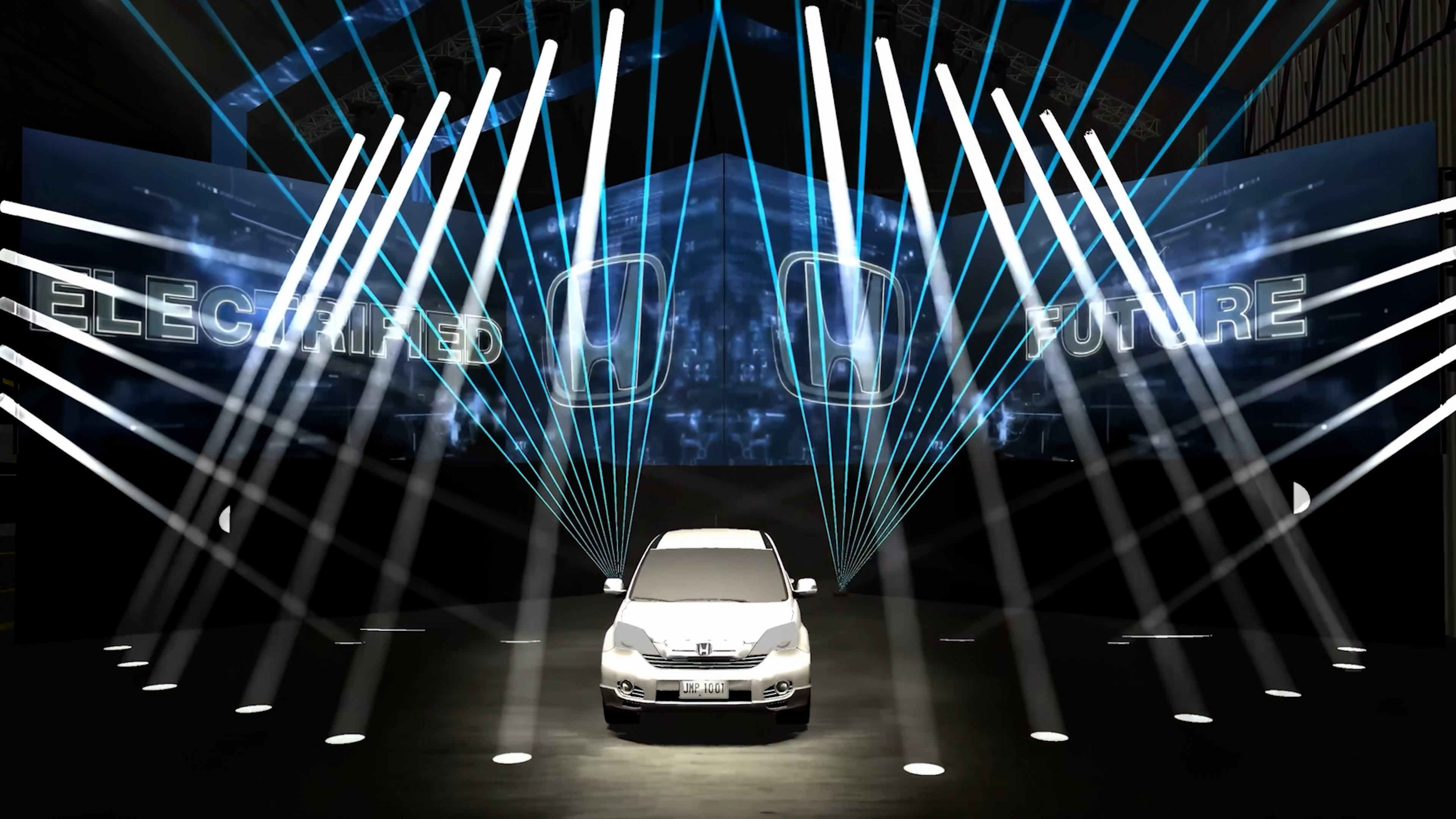
This is why product launch event production requires a production-first mindset. You're not arranging an event around a product demo. You're designing every element of the event to make the product the hero.
Over 20 years of product launches in Toronto—from tech startups introducing their first platform to Fortune 500 companies launching new service lines—bb Blanc has learned what separates launches that feel significant from ones that feel routine. It's not budget. It's strategy. It's understanding that every technical choice (video wall size, lighting color, reveal timing, sound design, camera positioning) compounds into an experience that either captivates or falls flat.
This guide walks you through the AV and production strategy for a launch that creates the impact your product deserves.
Why Product Launches Demand a Production-First Approach
Most companies approach product launches backwards. They finalize the product, write the messaging, then ask "should we do an event?" If yes, they add an event afterward as a launch vehicle.
The production-first approach reverses this. You design the event experience first, knowing that the event itself becomes the primary content of your launch. The event isn't about telling people about the product. It's about showing them the product in a way that makes them feel something.
Consider two scenarios:
Scenario 1 (Reactive): A software company launches a new feature via a Zoom webinar with 400 attendees. The presenter walks through functionality via screen share. It's clear, informative, forgettable. Three months later, adoption is slow because there was no "moment" that made people feel the value.
Scenario 2 (Production-First): The same software company hosts a 400-person in-person launch with a carefully choreographed reveal. The feature is presented as a solution to a specific problem the audience feels acutely. Video content shows real customers using it. A live demo on a large LED wall shows the feature in action. Sound design and lighting build anticipation. The reveal moment has impact. Attendees become advocates because they experienced the product, not just learned about it.
Three reasons product launches deserve production resources:
-
First impression permanence: A launch moment creates the permanent story of your product in the market. That story is set not by press releases, but by the experience of the people in the room. If your launch feels significant, your product is positioned as significant. If it feels routine, your product is positioned as routine. You don't get a second launch moment.
-
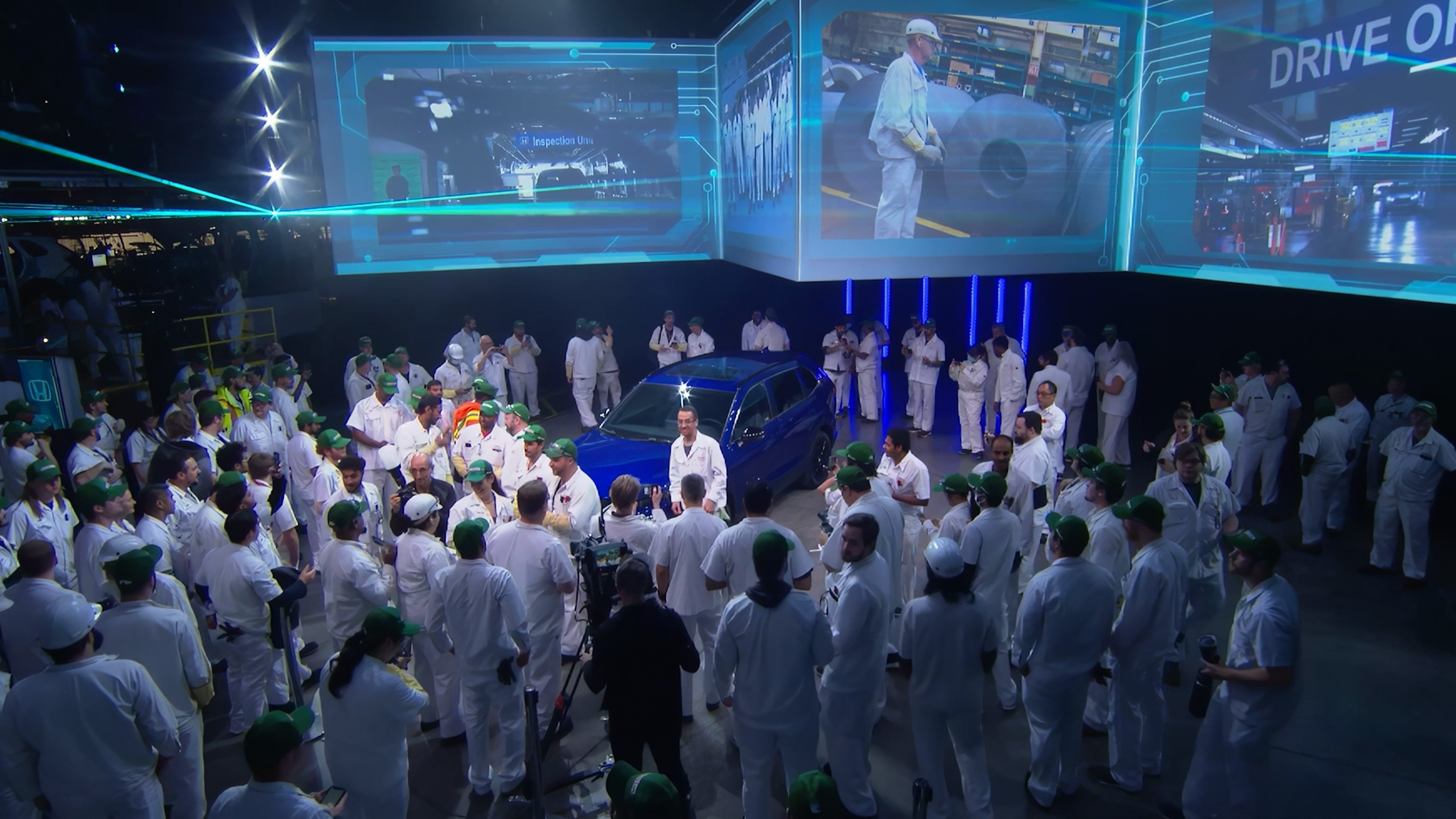
Content multiplication: Every element of your in-person launch becomes content. Video of the reveal. Photos from the event. Social media clips. Attendee testimonials. Articles written by press who attended. The event isn't one moment—it's the source material for 30 days of post-launch content.
-
Stakeholder alignment: An in-person launch brings together sales, marketing, product, leadership, press, and major customers in one room. The launch event becomes the moment where everyone understands the strategic importance and gets aligned on messaging. That alignment compounds into more effective go-to-market execution across all channels.
Matching AV Strategy to Product Type and Audience
Not all products launch the same way. Your AV strategy should match the product type and the audience's relationship to it.
B2B SaaS / Software Platform Launch
These launches emphasize functionality, integration, and business outcomes. The audience is buyers and users evaluating whether this solves a problem they have.
AV priorities:
- Clear, large-scale product visualization: LED wall or projection showing the product interface at a size everyone can see. Detailed screen demos are hard to see even in small rooms; projection makes them visible to 500 people.
- Live, flawless demo: Network connectivity, screen capture, and backup systems for live product demonstrations. Demo failures are catastrophic at tech launches—equipment crashes become the story.
- Confidence monitoring: The presenter needs to see presenter notes, speaker slides, and demo status without looking away from the audience. Multiple monitors positioned strategically.
- Integration video: Pre-recorded video showing the product in a real customer workflow. This is more compelling than live demo and de-risks the presentation.
Success metric: Audience can clearly see what the product does. No "wait, was that working?" moments.
Physical Product Launch (Hardware, Consumer Goods)
These launches emphasize form factor, design, and the emotional response to the physical product itself. The audience wants to see and feel the product.
AV priorities:
- Macro photography and product close-ups: Professional cameras capturing product details at high magnification and projecting them large. This shows the product's design quality and manufacturing precision.
- Multiple camera angles: One camera on the product, one on the presenter, one capturing audience reaction. The multi-angle edit creates energy and shows the product from every perspective.
- Atmospheric lighting: Dramatically lit product on stage. Professional gaff tape, no visible equipment, nothing distracting. The product is the hero, and every light serves to make it look as good as possible.
- Tactile moment: Plan a moment where audience members can physically handle the product. AV supports this by capturing the moment people first interact with it—that's the emotional peak.
Success metric: People leave the event wanting to touch and use the product. First impressions of design and quality are positive.
Service Launch (Consulting, Managed Services, Financial Products)
These launches emphasize outcomes, trust, and the relationship between the company and customer. The audience is evaluating whether they want to engage with this service.
AV priorities:
- Customer story video: Pre-recorded video of a customer using the service and seeing results. Authentic, specific stories are more persuasive than promotional messaging.
- Expert positioning: Clear audio, good lighting on presenters. Authority comes through in how the presenter is framed and lit. Avoid "streamed from a laptop" production quality.
- Proof points and data visualization: Charts, metrics, and case study results displayed prominently. Service launches live or fall based on evidence.
- Interactive Q&A: Professional audio setup so audience questions are clear, and answers are captured and potentially live-streamed.
Success metric: Audience trusts the service and feels confident that it delivers on promises. No skepticism about whether outcomes are real.
Internal Company Launch (New Division, Reorganization, Strategic Initiative)
These launches communicate change and align internal stakeholders. The audience is employees who need to understand how this affects them.
AV priorities:
- Leadership presence: Leadership is visible, confident, and clear. Production values reinforce the importance of the announcement.
- Transparent storytelling: Why is this happening? What's changing? What's next? AV supports this with clear, professional presentation of information.
- Emotional resonance: Sometimes internal launches need to inspire. AV choices (music, lighting, pacing) can reinforce emotional messaging.
- Q&A capability: Employees need to ask questions and get answers. Professional audio and video (potentially with remote employees on video) ensures everyone is included.
Success metric: Employees understand the change, feel heard, and are aligned on next steps. Turnover doesn't spike; adoption of new processes is smooth.
The Reveal Moment: LED Walls, Projection Mapping, and Theatrical Lighting
The reveal moment is the emotional apex of your launch. Everything before builds toward it. Everything after lives in its shadow.
This is where production excellence becomes non-negotiable.
The Anatomy of a Reveal Moment
A successful reveal typically has five components:
-
Build (30-60 seconds): The audience knows something is coming, but not what. Music intensifies. Lighting becomes more dramatic. Anticipation builds.
-
Isolation (5-10 seconds): The audience's attention is directed to a single point. A follow spot hits the stage. A screen goes dark. Sound pauses. Silence can be as powerful as music.
-
Reveal (3-5 seconds): The product appears. Music hits. Lighting floods the stage. If the product is digital, it appears large on screen. If it's physical, it's dramatically lit and visible. This moment is fast and impactful.
-
Resonance (10-15 seconds): The product remains visible, music continues, lighting sustains the impact. The audience takes in what they're seeing. Applause starts. The moment extends long enough for the impact to land.
-
Transition (5-10 seconds): Music begins to fade. Lighting normalizes. The emcee or presenter appears. The reveal ends, and the next phase (demo, explanation, celebration) begins.
The entire sequence takes 60-90 seconds. But those 60-90 seconds determine how the product is remembered for months.
Technical Options for Product Visibility
LED Wall Reveal
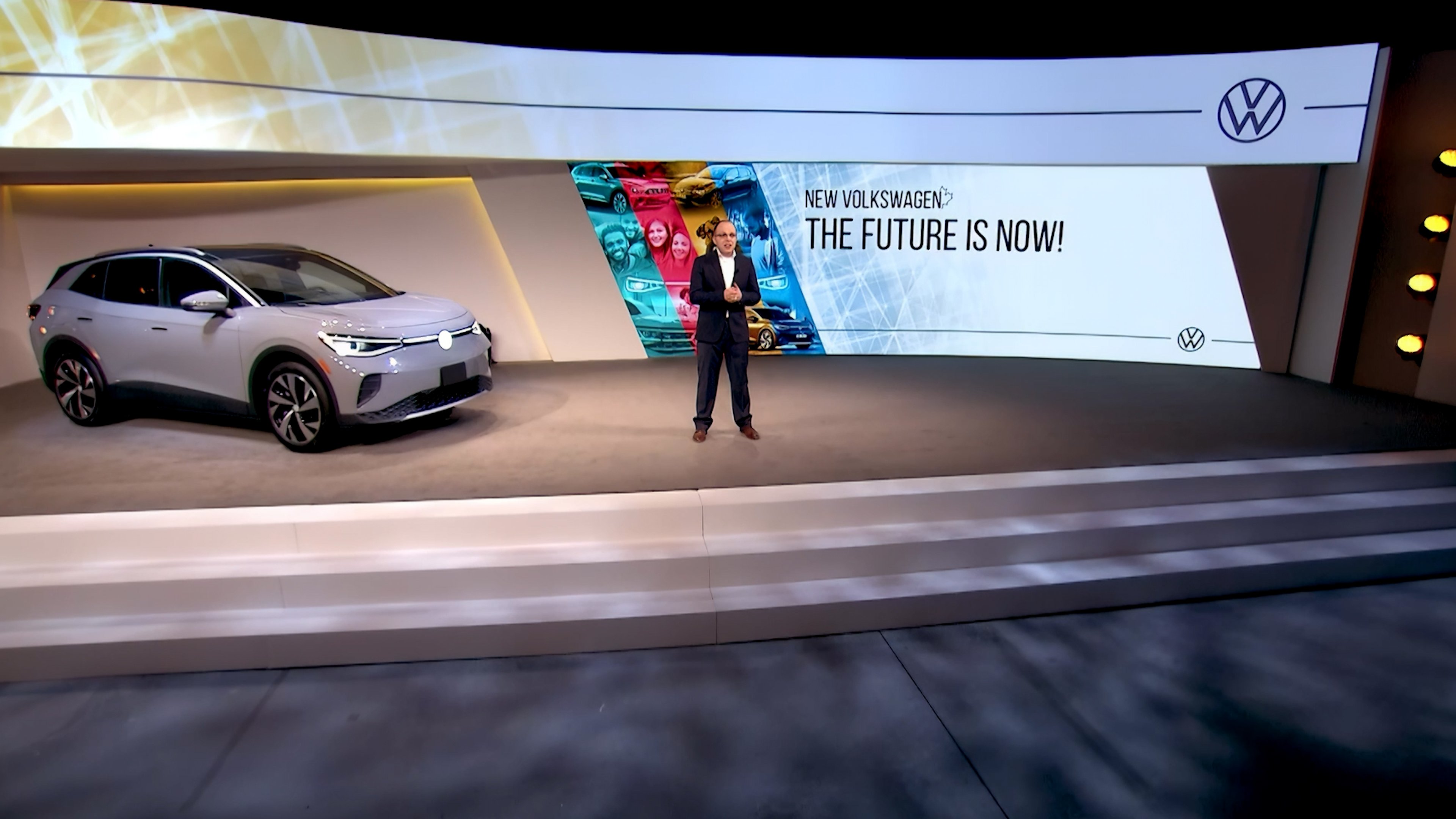
A large LED video wall displays the product at high resolution. The wall can show the product in different contexts, use cases, environments. As music builds, the content transitions—increasing in intensity, color, and motion. The reveal is the moment the product appears life-size on the wall in dramatic light.
Best for: Software, digital products, products with complex interfaces or multiple use cases. LED walls display high-resolution detail that projectors can't match.
Consideration: The room must be dark enough that the LED wall has visual impact. If the room is bright, the wall looks dimmer and less impressive.
Projection Mapping Reveal
The product is placed on stage, and a projector maps a video surface around or onto it—adding context, showing use cases, or creating a dramatic visual narrative. As the reveal moment hits, the projection becomes more intense.
Best for: Physical products where the object itself is the hero, but projection adds narrative context. A cosmetics brand revealing a new skincare line could use projection to show before-and-after transformations around the actual product bottles.
Consideration: Projection mapping requires precise rigging, pre-show calibration, and controlled lighting. It's more complex than LED walls but more immersive.
Theatrical Lighting Reveal
Dramatic lighting focuses attention on the stage. As the reveal moment hits:
- A moving head follow spot locks onto the product
- Stage wash lighting shifts color (often to brand color) as intensity increases
- Uplighting around the stage shifts to emphasize the space
- The product is revealed through light, not video
Best for: Physical products, service launches, internal announcements where the focus is on leadership or the moment rather than a visual asset.
Consideration: Less high-tech than LED walls, but if executed well, equally impactful. The product needs to be genuinely impressive to look good under light alone—weak design won't be saved by dramatic lighting.
Combining Multiple Technologies
The most impactful reveals often combine technologies:
- LED wall + lighting: A product appears on the LED wall at the same moment that moving head spotlights hit the physical product on stage. The product is visible at two scales simultaneously.
- Projection mapping + moving head lights: Projection shows context while moving head lights add theatrical emphasis. bb Blanc's teams often use this approach to create depth and visual interest without overwhelming the space.
- LED wall + live camera: A camera captures a live demo on the screen while the presenter is also visible on stage. The audience sees both the product interface and the person demonstrating it.
The combination creates layering and prevents any single technology from looking like a "feature" rather than part of the overall storytelling.
Sound Design for Impact
Sound is often the last thing product launches plan, but it's the first thing the audience experiences emotionally.
Walk-In Music
As attendees arrive, ambient music sets tone. For a tech launch, this might be modern, energetic, forward-thinking music. For a luxury product, sophisticated and refined music. For a service launch, trustworthy and professional music.
Best practice: Custom-composed or carefully curated music that aligns with brand voice. Generic "event music" undermines production quality.
Transition Stingers and Cues
As the event moves between segments—welcome remarks to leadership remarks to product reveal to demo—sound design marks the transitions. A musical "stinger" (a short, memorable musical phrase) signals "something is about to happen."
Best practice: A distinct stinger that repeats throughout the event becomes associated with your brand and launch. After one reveal moment uses the stinger, audiences anticipate it.
Reveal Moment Music
This is the centerpiece of sound design. As the product reveals:
- Build phase: Music gradually increases in intensity and tempo
- Reveal: Music hits a peak—often a sharp moment that coincides with the visual reveal
- Sustain: Music continues at the new intensity level, allowing audience reaction to happen against a musical backdrop
- Release: Music gradually fades as the next phase (demo, explanation) begins
Best practice: Have this music custom-composed or professionally mixed for your launch. The reveal moment music becomes the soundtrack to your product's introduction in the market. People will remember it.
Live Mix vs. Pre-Recorded Sound
Pre-recorded audio: The entire soundtrack is recorded and triggered by buttons during the event. Advantage: perfect, repeatable execution. Disadvantage: no flexibility if timing varies.
Live audio mix: A sound engineer controls levels in real-time. Advantage: flexibility and responsiveness. Disadvantage: requires skilled operator and can be variable if timing shifts.
For product reveals, we typically recommend pre-recorded audio for the reveal moment itself (too important to risk operator error) with live mix capability for other segments (Q&A, speaker comments) where flexibility matters.
Silence as a Tool
Sometimes the most powerful sound design choice is silence.
A moment of complete silence—no music, no ambient sound—before a reveal can be more impactful than sound. The audience leans in. Anticipation builds. Then the reveal moment hits with music and light.
Silence shouldn't be accidental or awkward. It should be intentional and brief. Five seconds of silence is powerful. Fifteen seconds of silence is uncomfortable.
Live Demo AV Requirements
If your product launch includes a live demo—showing software in action, demonstrating functionality, proving claims—AV reliability becomes critical. Demo failures undermine everything else you've built.
Network Infrastructure
A live software demo requires:
- Dedicated, high-bandwidth internet connection: Not shared with audience Wi-Fi or general venue bandwidth. A private, hardwired connection to the internet.
- Network backup: A secondary internet connection (mobile hotspot from a phone, for example) ready to switch to if primary connection fails.
- Demo device on the same network: The computer running the demo should be hardwired via ethernet (not Wi-Fi) to ensure stability.
Best practice: Test the network connection at venue 24 hours before the event. Network problems that appear the morning of the event are almost impossible to fix quickly.
Screen Capture and Projection
The demo runs on a laptop, but the audience sees it on a large screen. This requires reliable screen capture technology:
- Wireless screen mirroring (Miracast, AirPlay): Quick and flexible, but can be unstable if network is crowded.
- Hardwired video output (HDMI, DisplayPort): More reliable but less flexible. The presenter is tethered to the laptop.
- Professional presentation software (Keynote, PowerPoint with live screen embed): If the demo is software-as-a-service, you can embed a live window showing the app in your presentation, giving you more control.
Best practice: Use hardwired video output if possible. The lost flexibility is worth the reliability gain.
Backup and Contingency
Have a backup demo video. If the live demo fails, you have a pre-recorded version showing the same product functionality. It's not ideal—live is better—but it's infinitely better than "the demo crashed, here's what we were going to show."
Also have a secondary laptop ready with the demo loaded. If the primary computer fails, you switch to the backup within 30 seconds.
Presenter Monitors
The presenter needs to see:
- Presenter notes: Talking points visible only to the presenter, not the audience
- Current slide or demo status: So they know where they are in the flow
- Audience view: What's currently being displayed to the audience (in case of technical issues)
These are typically displayed on monitors positioned on the stage, visible to the presenter but not to the audience (or hidden by stage design).
Best practice: Two monitors—one for presenter notes, one for current content view. Gives the presenter complete situational awareness.
Remote Audience Consideration
If your launch is hybrid (in-person and virtual), the demo camera work matters:
- Close-up camera on the laptop screen: Shows the demo in detail. Useful for remote attendees who might not be able to see projection screen clearly.
- Wide camera on the presenter: Shows the presenter interacting with the demo, builds credibility and personality.
- Camera switch coordination: As the demo progresses, switch between close-up and wide, keeping remote viewers engaged.
Best practice: Have a second camera dedicated to close-ups of the demo screen if you're streaming. Remote attendees deserve to see detail, not a distant wide shot of the presentation.
Social Media Capture Zones and Live Streaming Integration
Your launch event is content. Every moment might be captured and shared by attendees, press, and your own team.
Designated Photo/Video Zones
Create areas where photographers and videographers position themselves to capture key moments:
- Product reveal zone: Professional camera angles on the stage during the reveal moment
- Demo zone: Multiple angles on the demo area for video capture
- Audience reaction zone: Capture people's responses and emotions (requires attendee consent)
- Social media zone: A branded space where attendees take selfies and short videos to share
Best practice: Brief your photographers and videographers on the moments that matter. The reveal moment, the first live demo interaction, the Q&A—these are the moments you want captured.
Live Streaming Integration
If you're streaming the event to a remote audience:
- Camera placement: Position cameras to show the product, the presenter, and audience energy without cluttering the shot
- Graphics overlay: On-screen graphics showing the product name, company branding, key statistics. This makes the stream feel professional and amplifies messaging.
- Real-time chat or Q&A: Allow remote attendees to submit questions or comments. The presenter can respond to remote questions, making remote attendance feel active rather than passive.
Best practice: Have a dedicated operator managing the live stream—switching camera angles, managing overlays, monitoring chat. Live streaming requires real-time attention.
Content Repurposing Plan
Plan in advance how launch footage will be repurposed:
- Social media clips (15-60 seconds): The reveal moment, a key product feature demo, an audience reaction. Post these within 24 hours while launch news is fresh.
- Blog post with embedded video: Recap the launch with key moments and context
- Email sequences: Send clips to customers and prospects who didn't attend
- Sales enablement: Product teams and sales teams use launch footage in customer conversations
- Press materials: Journalists and influencers use launch footage in coverage
Best practice: Designate someone to oversee content repurposing. A great launch can generate 30+ pieces of follow-up content if managed well.
Post-Launch Content Capture and Repurposing Strategy
The launch event ends, but the launch itself continues. Your post-event content strategy determines whether the launch moment sustains momentum or fades quickly.
Immediate Post-Event (24-48 Hours)
- Announce attendance numbers and key metrics: "500 customers and partners gathered for the launch"
- Share the highlight reel: A 2-3 minute video capturing the reveal moment, key demos, and audience energy
- Press release: If you have press coverage, share it immediately
- Social media rollout: Daily posts featuring clips from the event
Best practice: Have this content ready to go immediately after the event. Don't wait a week to share the highlight reel—share it within 24 hours while momentum is fresh.
First Week Post-Event
- Customer testimonials: Email customers who attended asking for a brief quote or video about their experience and what they're most excited about. Include in follow-up campaigns.
- Blog post deep-dive: A comprehensive recap of the launch including context, product details, and video embeds
- Email nurture sequence: Send 3-4 emails over the first two weeks targeting different segments (customers, prospects, partners) with content tailored to their interest
Best practice: Segment your audience. Sales prospects get a different message than existing customers. Partners get different messaging than competitors.
Month One Post-Event
- Longer-form video content: 5-10 minute product overview or use case video that leverages footage from the launch
- Case studies or customer stories: Customers who attended the launch and started using the product share results
- Podcast or webinar: Dig deeper into product strategy or use cases with product leaders
Best practice: Your launch content should fuel 30 days of follow-up marketing. The event itself is just the beginning of the story.
Related Articles
To build a complete product launch strategy, these related topics provide deeper context:
- Event Lighting Design Toronto — How to choreograph lighting with your reveal moment for maximum impact
- Projection Mapping for Corporate Events — Advanced projection techniques for immersive product presentations
- The Future is Live: Key Trends in AV & Event Production from InfoComm 2025 — Latest AV innovations shaping product launch experiences
FAQ
Written by bb Blanc Event Production 20+ years of product launch production, AV strategy, and go-to-market execution in Toronto and beyond. bb Blanc specializes in creating product launch moments that captivate audiences and generate lasting impact.

