



The virtual event landscape in 2026 is nothing like it was in 2020. The early pandemic panic—"just put a camera on a Zoom call"—has evolved into something more sophisticated. Organizations that continue treating virtual events as an afterthought to their "real" in-person programs are missing what has become a strategic channel for audience engagement and business impact.
Professional virtual event production has become its own discipline. It requires different technical infrastructure, different creative approaches, different staffing, and different measurement frameworks than in-person events. The organizations seeing the strongest outcomes are those treating virtual events not as a broadcast of something designed for a physical room, but as a fundamentally different experience designed specifically for online delivery.
This guide covers what it takes to produce virtual events that actually engage audiences, deliver measurable value, and represent your organization professionally. We'll walk through the complete production architecture from platform selection through post-event analytics, drawing on hundreds of virtual events we've produced across Canada.
Why Virtual Events Still Demand Professional Production
Here's what we see consistently: the difference between a virtual event that people tolerate and one that people actually remember comes down to production quality. Not necessarily production complexity—just quality.
When attendees are watching through a screen in their own space, every production flaw is amplified. Shaky camera work is more distracting. Poor audio is more fatiguing. Awkward transitions are more awkward. The intimacy of the online environment means that production flaws feel more unprofessional. Conversely, clean production, clear audio, and smooth pacing create an impression of competence and care.
Professional virtual event production handles dimensions that poorly-produced events skip:
- Audio quality that doesn't exhaust listeners. This means proper microphone technique, audio mixing, and monitoring for audio feedback or distortion.
- Camera work that uses framing, movement, and shot variety to keep visual interest. Static single-camera coverage is numbing.
- Lighting design that flatters speakers, ensures visibility of graphics and on-screen content, and creates visual hierarchy.
- Pacing and flow that respects the reality that online audiences have shorter sustained attention. Segments are tighter, transitions are faster, and passive listening time is interrupted with interactive elements.
- Technical redundancy that ensures one failed component doesn't collapse the entire production. Internet connectivity backup, video codec redundancy, and failover systems.
A poorly executed virtual event damages organizational credibility. A well-executed one builds it. Organizations are increasingly viewing virtual event production as a core competency, not a necessary evil. At bb Blanc, we approach every virtual event with the same production discipline as a live broadcast, because the stakes are equally high—your audience is forming impressions about your organization based on production quality.
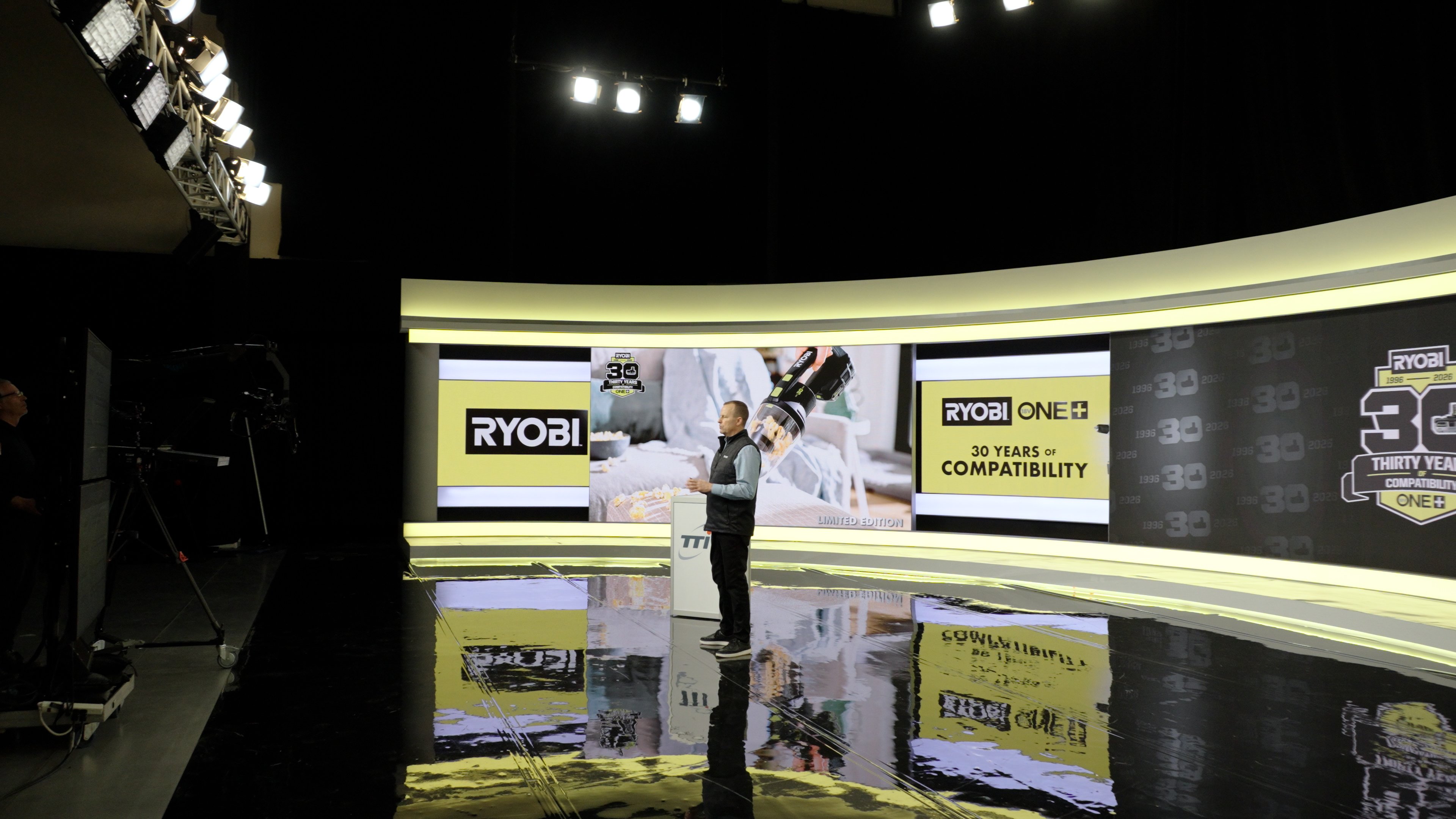
Virtual Event Formats: Webinars, Town Halls, Virtual Conferences, and Virtual Galas
Different virtual event types serve different purposes and require different production approaches.
Webinars and Educational Events
These are typically single-session or series events focused on knowledge transfer:
- Single-speaker webinar: One expert presenting to an audience. Works well for educational content, product training, thought leadership positioning.
- Panel webinars: 3-4 speakers with a moderator discussing a topic. Requires skilled moderation to keep multiple speakers from talking over each other.
- Workshop-style webinars: Interactive sessions with breakout rooms, hands-on exercises, and direct participant involvement.
Production requirement: High-quality audio and screen sharing setup. Lighting and camera are secondary if it's primarily a slide presentation with minimal speaker visibility. The audio must be crystal clear and the slides must be visible with no technical friction.
Town Halls and All-Hands Meetings
These are typically company-wide meetings designed for information sharing and culture-building:
- Leadership addresses to all-hands audience: CEO or executive team communicating to entire organization. Formality level varies but production values should be high.
- Question-and-answer formats: Leadership addresses prepared remarks, then takes live questions from attendees.
- Departmental breakout sessions: Town halls with parallel sessions allowing attendees to attend sessions relevant to their group.
Production requirement: Professional staging of leadership speakers, clear audio, confidence monitors (so speakers can see their notes and Q&A questions as they come in), and moderation systems to manage the flow of live questions.
Virtual Conferences
These are multi-day, multi-session events with numerous speakers and tracks:
- Parallel session structure: Multiple sessions happening simultaneously across different virtual rooms or breakout spaces
- Keynote addresses: Usually opening and closing sessions designed to frame the conference narrative
- Networking components: Designed interaction time, virtual booths, speed networking sessions
Production requirement: Sophisticated platform architecture that handles multiple simultaneous sessions, attendee routing between sessions, persistent networking spaces, and speaker technical coordination. This is the most complex virtual event format.
Virtual Galas and Awards Shows
These are primarily designed for visual impact and entertainment, often with live performances or award presentations:
- Scripted ceremony format: Predetermined flow with speeches, award announcements, video packages, and entertainment segments
- Interactive awards: Some organizations include audience voting or real-time audience participation
- Production design: Often uses multiple camera angles, graphic design, branded environments, and transition effects
Production requirement: Multiple camera setup, professional graphics, video production for award packages, and smooth transitions between segments. These should feel like television productions, not webinars.
Studio vs. Remote Production Setups
One of the first decisions in virtual event production is whether to centralize the production in a professional studio or to work with remote talent and participants.
Studio-Based Production (Studio 41)
A dedicated studio setup offers maximum control and is the recommended approach for professional virtual event production:
- Controlled lighting environment: Professional studio lighting designed for on-camera performance, ensures consistent quality regardless of time of day
- Redundant internet connectivity: Professional internet service with backup systems, not residential internet subject to household conflicts
- Professional audio environment: Sound-treated spaces, professional microphone selection, isolated audio mixing, real-time monitoring
- Camera and lens selection: Multiple camera angles, professional ENG cameras, or cinema cameras depending on production goals
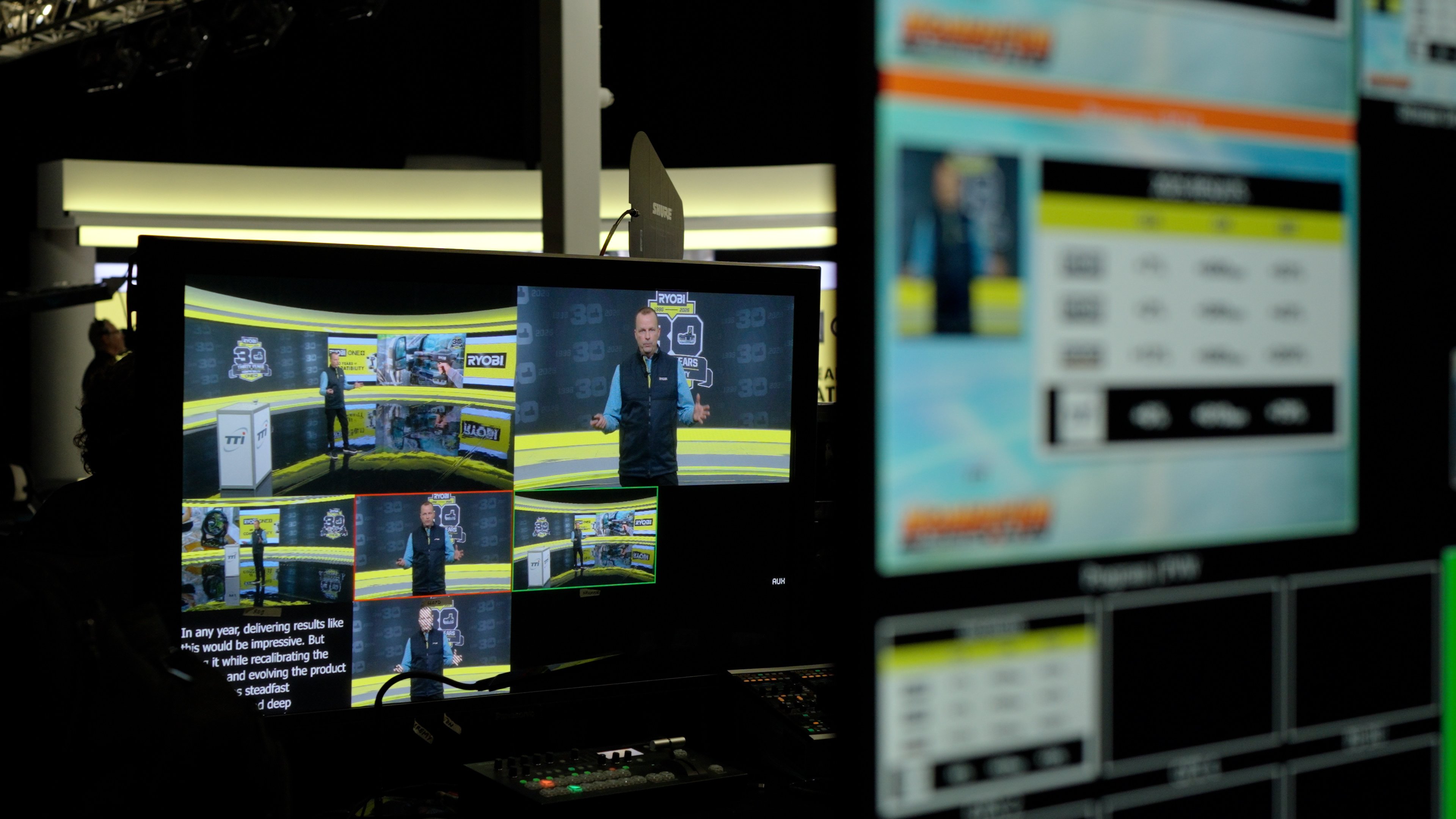
- Control room operations: Technical director, audio engineer, graphics operator, and stream manager all in one environment coordinating in real-time
- Guest accommodation: Professional green room with monitor systems so guests know what they're seeing on-air, comfortable seating, and refreshment areas
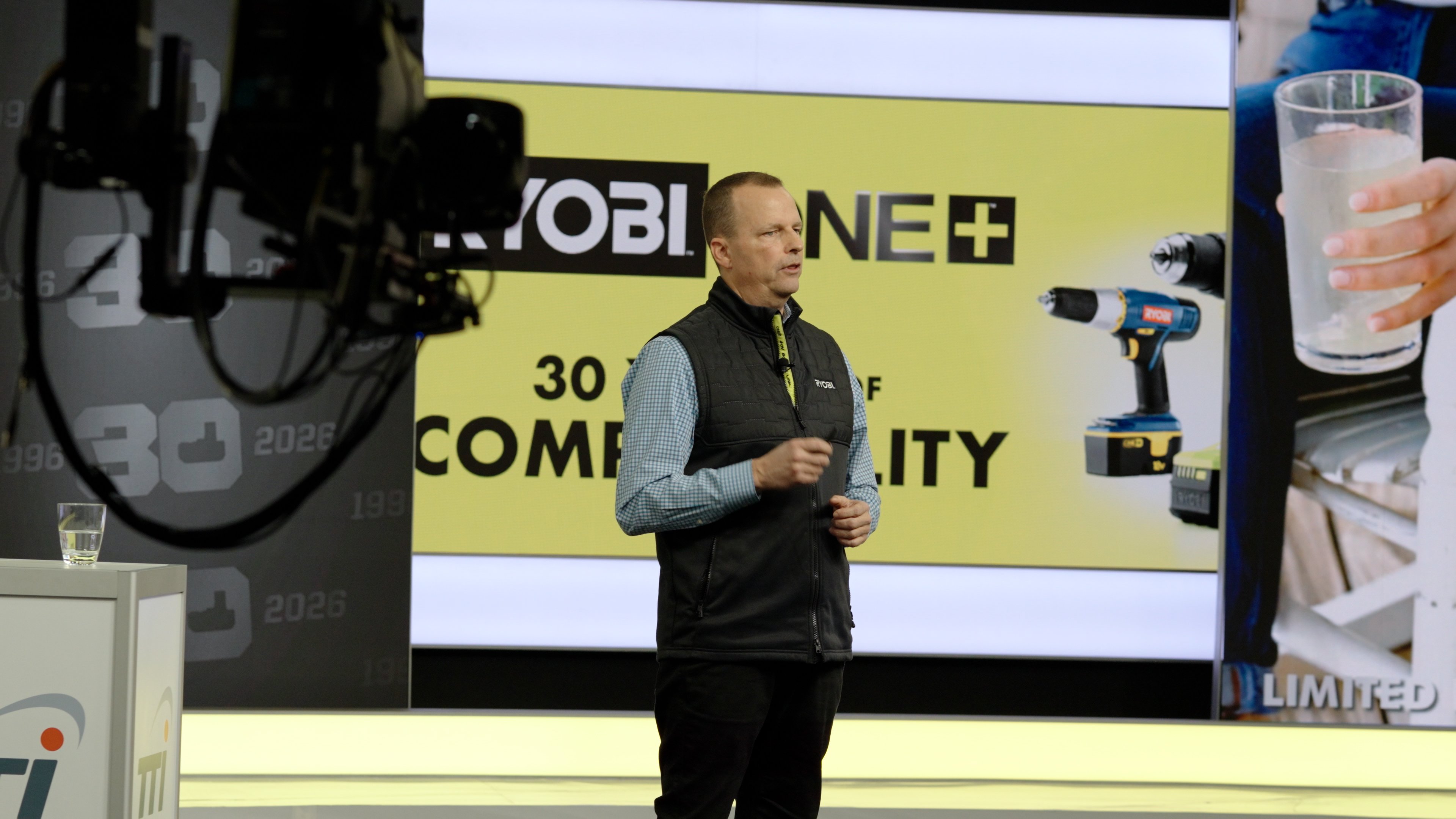
- Teleprompter and speaker support systems: Multiple confidence monitors, proper positioning of speaking areas, and professional talent coaching available on-site
At bb Blanc, our Studio 41 facility is purpose-built for professional virtual event production. The studio includes professional-grade camera rigs, dedicated audio mixing console with multiple input channels, real-time graphics capability, redundant streaming equipment, and a dedicated control room where the entire technical team works in concert. This setup is essential for virtual event production across Canada, where audience expectations for quality are high. bb Blanc's commitment to production excellence ensures your virtual events make a strong professional impression.
Studio 41 specifically offers: 3,000+ square feet of production space with 20-foot ceilings (accommodating complex lighting rigs), four permanent camera positions with motorized pan-tilt-zoom capability, dedicated green room with guest briefing area, fiber-optic internet backbone with automatic failover to redundant connection, and professional-grade power conditioning that prevents any risk of technical glitches from electrical issues.
Studio-based production is ideal for productions with multiple speakers, complex production design, or where production quality is a primary differentiator for the event. The investment in dedicated studio space is justified when the production is complex or when audience expectations for production quality are high. For any multi-session conference, multi-day event, or award show delivered virtually, studio-based production should be the minimum standard.
Remote Production Setups
With proper technology, remote production can achieve near-studio quality:
- Home office setup: High-quality camera, professional microphone, lighting kit, and quality internet for speakers
- Multi-location coordination: Multiple speakers in different locations connected via professional video network or fed into a central control room
- Hybrid approach: Some participants remote, some in a physical studio, all integrated into unified production
The key to remote production quality is proper equipment setup and technical management. A speaker with poor lighting, laptop-quality audio, and a weak internet connection will undermine even the best production direction. We typically provide equipment recommendations and setup guides for remote participants to ensure baseline quality.
Remote production works well for smaller events, distributed panels, or when the production is more about content than visual spectacle. It doesn't work well when you need multiple simultaneous camera angles, complex graphics, or polished production design.
Platform Selection and Technical Integration
The platform is the foundation of a virtual event. Selection should be based on specific requirements, not just brand recognition.
Key Platform Evaluation Criteria
Audience capacity: Will the platform support the expected attendee count? Most platforms handle 100-1,000 participants without issue. Some have soft caps at 500. Very large events (3,000+ participants) require dedicated platform support or custom solutions.
Concurrent session capability: Does the platform support multiple simultaneous sessions? Basic platforms (Zoom, Teams) don't have built-in multi-track capability; you need additional architecture. Purpose-built event platforms (Hopin, vFairs, Airmeet) handle parallel sessions natively.
Interactive features: What engagement tools are available? Live polling, Q&A, chat, breakout rooms, virtual booths, speed networking? Different platforms bundle these differently.
Attendee data and analytics: What metrics does the platform capture? Session attendance, watch duration, engagement with interactive features, lead capture data? This is critical for measuring event ROI.
Integrations: Does the platform connect with your CRM, email marketing platform, or other business systems? Manual data export is a hassle; native integrations are preferable.
Streaming capability: Can the event be broadcast simultaneously to YouTube, LinkedIn, or other platforms for wider reach? Some platforms support this natively; others don't.
Production workflows: Can you feed professional camera feeds into the platform, or do you have to use the platform's built-in camera capture? Professional productions need the ability to bring in external video sources.
Common Platform Choices
Zoom: Best for webinars and smaller meetings. Familiar to most users, easy setup, but limited built-in engagement features and no native multi-track sessions. Good for simple productions.
Microsoft Teams: Similar to Zoom for teams within organizations. Limited external attendee support and fewer engagement features. Use for internal events.
Hopin: Purpose-built for virtual conferences. Excellent multi-track capability, built-in networking, sponsor integration, and analytics. Larger learning curve but superior event experience.
vFairs: Virtual event platform with good visual customization and networking tools. Strong for branded experiences and awards shows where aesthetic control matters.
Custom streaming setup: For very high-production events, some organizations use professional streaming software (OBS, Wirecast) with platform-agnostic delivery to YouTube or custom web pages. Offers maximum flexibility but requires more technical expertise.
Technical Integration Architecture
Professional virtual event production typically involves multiple systems working together:
- Video ingest: Professional cameras feeding into a video mixing console or streaming software
- Audio mixing: Separate professional audio system ensuring clean, balanced audio levels
- Graphics and overlays: Scorecards, lower-thirds, transitions, and production design elements
- Audience platform: The actual platform where attendees are logging in
- Chat and engagement moderation: Monitoring and managing Q&A, chat, and other interactive elements
- Backup systems: Redundant internet, backup cameras, backup audio, prepared to activate if primary systems fail
- Archive and delivery: Recording streams to multiple locations, ensuring content is retrievable post-event
The complexity of this architecture depends on event complexity. A simple webinar doesn't need all these elements. A multi-track conference or awards show requires most of them.
Speaker Coaching and Virtual Presentation Design
One of the most underestimated elements of virtual event production is speaker coaching. The skills that make someone effective in-person don't automatically translate to on-camera, and the difference between a speaker who's been coached and one who hasn't is immediately apparent to the audience.
Professional speaker coaching for virtual events is a specific discipline. It's not about making someone a better public speaker in general; it's about optimizing someone's performance for the specific medium of being filmed and broadcast.
Virtual Presentation Techniques
Speaking on camera requires specific adjustments that differ from stage presentation:
- Eye contact with camera: The instinct is to look at yourself or the audience (via monitor). Effective on-camera communication means looking directly at the camera lens, which feels unnatural but reads correctly on screen. This single adjustment changes how viewers perceive authenticity and engagement.
- Minimal movement: Pacing and large gestures work on a stage. On camera, subtle movement is more effective. Speakers should stand or sit steady, with gesture limited to hand and arm movements that stay in frame. Large movements cause viewers to feel motion sickness; stillness creates focus.
- Pacing and pause: On-screen audiences fatigue faster from rapid speech. Effective virtual presentations use slightly slower pacing (typically 15-20% slower than stage speech), more deliberate pauses, and more white space in the delivery. Silence feels uncomfortable in-person but reads as thoughtfulness on camera.
- Energy and engagement: The camera can feel like a void; many speakers naturally drop energy on camera. Effective speakers maintain higher-than-normal energy to compensate for the flatness of video medium. The energy that feels natural in-person often reads as flat on camera.
- Mic technique: Many speakers are unfamiliar with microphone technique. Consistent mic distance (6-8 inches), avoiding "plosives" (hard P sounds causing audio distortion), and preventing rustling of papers or clothing—these matter. A speaker with poor mic technique makes professional production sound amateurish.
Presentation Slide Design for Virtual
Slides designed for large projection don't always work on small screens:
- Larger fonts: What's readable at 50 feet away on a projection screen is illegible at 14 inches on a laptop monitor. Text should be noticeably larger than most presenters use.
- Simpler visual hierarchy: Busy slides that read fine on a projected screen feel overwhelming on a small screen. Less is more in virtual environments.
- Audience view: Design slides from the audience perspective (small screen, not your monitor). Have speakers preview how their slides actually look on a consumer device.
- Slide progression: Frequent slide changes (every 30-45 seconds) keep visual interest. Static slides for 3+ minutes create opportunities for audience mind-wandering.
Speaker Preparation Workflow
Effective virtual events include speaker preparation:
- Tech check call: 24-48 hours before the event, every speaker gets a technical setup verification call. Camera positioning, audio levels, lighting, internet connectivity, and software familiarity are all verified.
- Presentation walkthrough: Speakers walk through their slides or segment with the producer/moderator, catching any logistical issues (transitions, timing, Q&A format).
- Environment assessment: If speakers are remote, we verify their background, lighting, and setup visually before the actual event.
- Run-of-show review: Every speaker knows their exact timing, where they fit in the overall event flow, how they'll be introduced, and what happens next.
Good speaker coaching prevents most technical and delivery issues. Most virtual event disasters happen because a speaker showed up unprepared, didn't test their setup, or was surprised by the format when they went live.
Audience Engagement Tools
Virtual audiences are passive by default. Engagement requires intentional design and tool selection.
Live Polling and Surveys
Interactive polls break up passive listening and provide real-time feedback:
- Sentiment polls: "How many of you implement this practice?" (quick yes/no or scaled responses) gauge audience thinking in real-time
- Decision-making polls: Present scenarios or options, let the audience vote, then discuss the results
- Knowledge checks: Mid-presentation polls to verify audience comprehension before moving forward
- Post-session feedback: Immediate feedback polls asking about content quality, pacing, speaker effectiveness
Polls work best when results are shown in real-time (participants see the aggregated results instantly). This creates a sense of collective participation.
Live Q&A Management
Most virtual events include Q&A, but it requires proper management:
- Q&A moderation: A dedicated moderator reviews incoming questions, clarifies unclear ones, and prioritizes questions for the speaker. Unmoderated Q&A devolves into chaos.
- Chat management: Some platforms have live chat separate from formal Q&A. Chat can be useful for peer-to-peer conversation but requires a moderator to prevent off-topic derailment.
- Time management: Q&A should be time-boxed. Allowing unlimited time for questions creates pacing problems and frustrates attendees who might have other commitments.
- Question staging: For large audiences, questions come in faster than any speaker can answer. Consider pre-recorded answers to commonly anticipated questions, which can be played during the event.
Breakout Rooms and Networking
For longer or multi-day events, breakout rooms create smaller group interaction:
- Discussion groups: 10-15 person breakout rooms with a specific discussion prompt. Works well for conference sessions where attendees want to discuss application of content.
- Speed networking: Structured 1-on-1 conversations between attendees. Usually works better with 30-50 participants; larger events create administrative complexity.
- Structured networking sessions: Facilitators guide conversation in smaller group settings (4-6 people) around shared interests.
Breakout rooms require skilled facilitators to keep conversation on track and ensure all participants are included. Poor facilitation creates awkward silence or dominance by one or two people.
Gamification and Incentives
Some events incorporate game elements to drive engagement:
- Attendance badges: Awarding digital badges for attending sessions, answering polls, or participating in Q&A
- Leaderboards: Real-time leaderboards showing top participants (useful for competitive audiences)
- Raffles and giveaways: Random draws for prizes tied to engagement activities
- Point systems: Accumulating points for various activities, redeemable for digital rewards or actual prizes
Gamification works well for younger audiences and knowledge-transfer events. It can feel gimmicky for professional conferences. Use judiciously and make sure game mechanics align with event tone and objectives.
Post-Event Analytics and Content Repurposing
The value of a virtual event extends far beyond the live broadcast. In fact, the post-event period—when you analyze what happened and repurpose the content—often generates more business value than the live event itself.
Analytics and Reporting
Professional virtual events produce rich data:
- Attendance metrics: Who attended, for how long, which sessions they watched, which they dropped out of
- Engagement metrics: Poll participation rates, Q&A participation, chat activity, breakout room attendance
- Platform metrics: Session watch duration, simultaneous viewer counts, geographic distribution of attendees
- Lead generation: Form submissions, resource downloads, contact information captures (if applicable)
We typically deliver a post-event report 1-2 weeks after the event. This report should include:
- Total registered vs. actual attendance
- Average session watch duration
- Top-performing content segments (highest engagement)
- Audience demographics and geographic distribution
- Engagement metric breakdowns by activity type
- Comparison to previous events if applicable
- Recommendations for future events based on what worked and what didn't
Content Repurposing Strategy
A single virtual event can generate content assets for months—often generating more reach and engagement after the event than during the live broadcast:
- Session recordings: Individual session videos made available on-demand to attendees and potentially published publicly on YouTube, LinkedIn, or your website. These continue to drive traffic and lead generation long after the event concludes.
- Highlight reels: 3-5 minute compilations of key moments, perfect for social media promotion and archive visibility. These high-energy clips often see higher engagement than the full session recordings.
- Speaker clips: Individual speaker segments (30-60 seconds) extracted and published to YouTube, TikTok, LinkedIn, and social platforms. This allows speakers to share their content across their personal networks, multiplying reach.
- Transcription and searchability: Session transcripts enable full searchability and accessibility (closed captions). Transcripts are also useful as source material for blog posts, whitepapers, or other written content derived from the event.
- Graphics and quotes: Branded graphics with key takeaways or speaker quotes, useful for social promotion. These perform well on LinkedIn and Twitter where they generate engagement and drive back to longer content.
- Behind-the-scenes content: Production footage becomes "making of" content showing audience the effort and professionalism behind the event. This humanizes the production and increases audience connection to future events.
- Webinar series: Breaking longer sessions into segments creates a mini-webinar series. A 60-minute panel discussion becomes 3-4 individual webinars on specific subtopics, reaching different audience segments.
The most successful virtual event producers plan the content repurposing strategy before the event. This means identifying key quotes and moments ahead of time, arranging camera angles to capture specific highlight moments, and ensuring recording capture from multiple sources. If content repurposing is just an afterthought, you leave significant value on the table.
The best virtual event producers plan content repurposing before the event. This means identifying key quotes and moments ahead of time, arranging camera angles to capture specific highlight moments, and ensuring recording capture from multiple sources.
For organizations seeking more comprehensive virtual and hybrid event solutions, we recommend exploring Hybrid and Virtual Events services to understand how virtual production can be integrated with in-person experiences.
Related reading: The Future is Live: Key Trends in AV Event Production from InfoComm 2025
Related reading: Event Production Company Toronto: How to Choose a Partner
FAQ

